
HOSPITAL-LED CARE. CONNECTED.
Your hospital.
Beyond
its walls.
Request a Home Visit, follow its progress and return to your care record.
Product preview · Live availability is not confirmed.
at every stage of care.
FROM REQUEST TO RECORD
From request to record.
-
01
Start with the hospital.
Review the hospital and its services.
-
02
Send your request.
Choose a preferred time. The hospital reviews your request.
-
03
Follow the next step.
Follow assignment, payment and schedule confirmation.
-
04
Keep the care record.
View the completed visit and available clinical summary.
A CLOSER LOOK
Your visit, in view.
Explore four screens from the patient app.
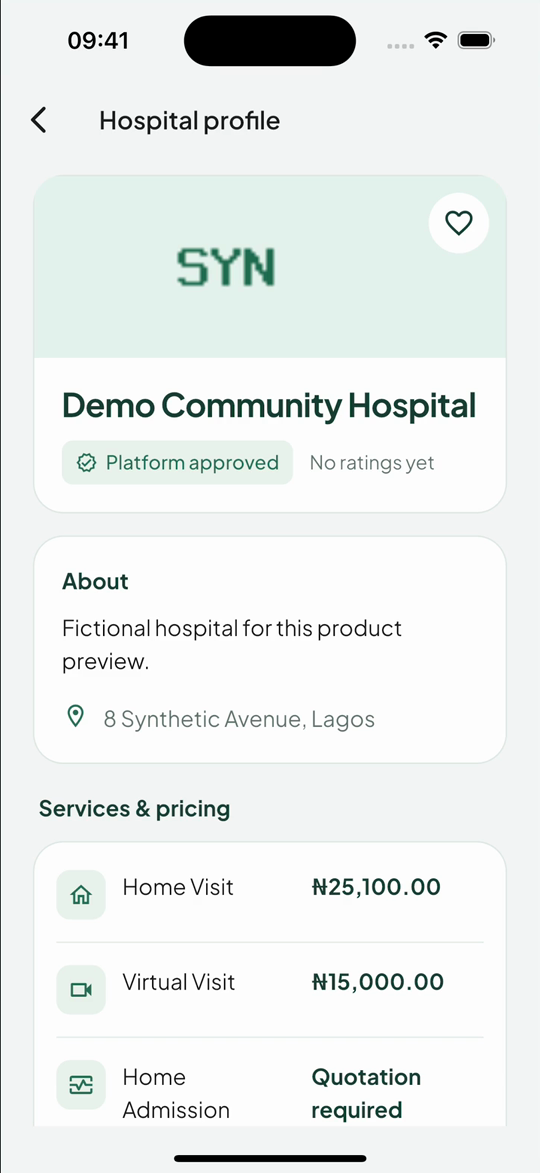
Actual app screens · Synthetic data
90 SECONDS INSIDE IWOSAN
Watch a Home Visit.
From choosing a hospital to opening the care record.
Silent, staged demo. Fictional people and hospital; simulated payment. Not live care or proof of availability.
Download the patient demoRead the video walkthrough
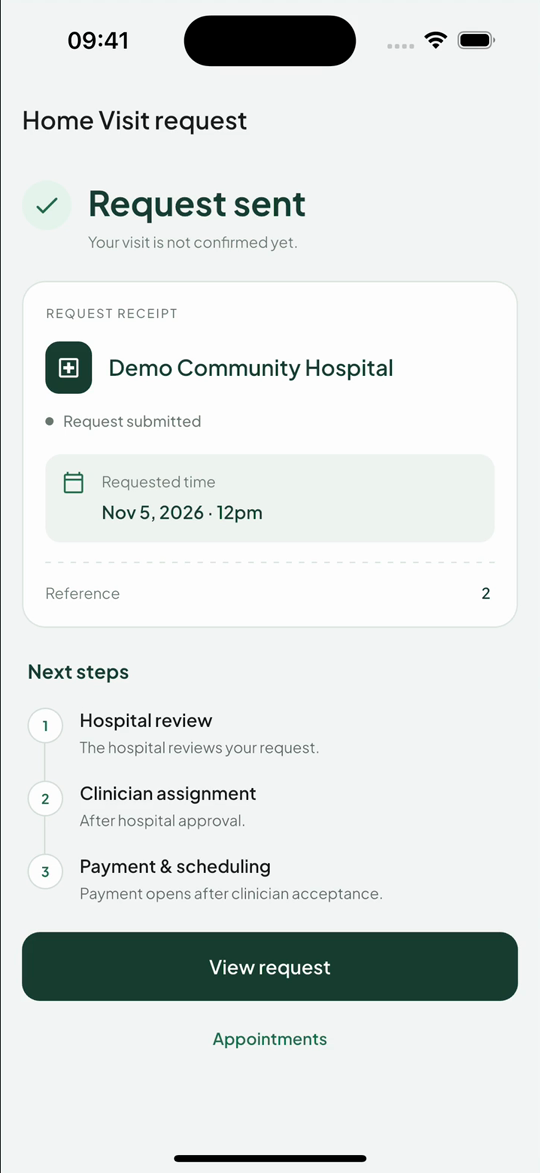
The patient opens Home Visit, views a fictional hospital profile and selects a preferred time. After reviewing the request, the app says “Request sent” and explains that the visit is not yet confirmed. Later scenes show clinician acceptance, simulated payment, a confirmed schedule and staged visit progress. The patient then opens the completed visit and reads its clinical summary. The recording contains reading holds and is not a continuous encounter.
FOR HOSPITAL TEAMS
Bring your team
together.
Review requests, assign clinicians and follow visits through to documentation.
Explore a partnershipHospital tour · Fictional demonstration data
Read the hospital walkthrough
A hospital team reviews a fictional Home Visit request, approves it and assigns a clinician. Later scenes show scheduling, visit progress and completed documentation, followed by clinician management and service pricing. Some actions occur off camera. Payment, travel and care are simulated. This is not proof of live operations or clinical outcomes.
Download the hospital demoRecorded from the hospital app. No real patient data.
A few essentials.
Not an emergency service. For urgent or life-threatening symptoms, seek immediate in-person emergency care.
Who provides the care?
The participating hospital and its clinical team. Iwosan connects the experience; it does not replace clinical judgment.
Is my request automatically confirmed?
No. Hospital review, clinician acceptance, payment and scheduling are separate steps. “Sent” does not mean “confirmed.”
Are locations and prices live?
No. Demo locations and prices are fictional. Confirm availability, costs, support and cancellation terms with the hospital before arranging care.
For your hospital.
Prepare a brief about your service and team.
Preview only. Enquiries are not sent from this page.